
Sometimes we need to write or type something with our own language. So we download software which will give the required fonts, access and detect keyboard layout. When you are using Linux forget about those things because those things are built-in in Linux OS. In this post I’m gonna share the information.
How Can We Set Our Own Language And Keyword Layout :
Writing/Typing
- Go to Applications > Preferences > Keyboard.
- Select the “Layouts” tab.
- Select and press “Add”.
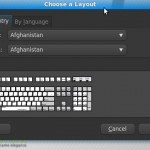
- Chose a layout window will appear.
- From By country tab select your country and then select variants.
- There is an another tab By language beside the By country tab, select language and variants from By language tab.
- Then press add to add your language and you will see a language switcher on the panel/task-bar.
- you can also select your keyboard model under the Layout tab.

keyboard preferences

Choose a layout
Switch among languages :
click on language switcher, language will be changed.
Need a key shortcut to switching? Follow this
- right-click on LS (language switcher)
- click on keyboard preferences and keyboard preferences window will come.
- Go to layout tab>option>key(s) to change lay out ant select one shortcut key as you like.
***you can also do that by no. 7th step of writing/typing, just after adding language follow the 3rd step of Switch among languages***
Linux with Gnome Desktop
You do not need to do anything to enable viewing of Indic text in Gnome 2.8 or later. Ensure you have your own language Unicode fonts.

switching among languages
Writing/Typing :
- Go to Applications > Preferences > Keyboard.
- Select the “Layouts” tab.
- Select the keyboard for the language or script you wish to use from the “Available Layouts” frame and then press “Add”.
- Press “Close” to discard the dialog box.
- Right click on the main menu on your desktop and select “Add to Panel…”.
- Select “Keyboard Indicator” and click “Add”.
- Position the keyboard indicator on your menu bar and click it to switch between keyboard layouts.
Linux with KDE Desktop Viewing:
You do not need to do anything to enable viewing of Indic text. Ensure you have Unicode desire fonts.
Inputting :
- In the Control Center, go to Regional & Accessibility, Keyboard Layout
- In the tab Layout, click on Enable keyboard layouts
- Choose the layouts you want to use in Available layouts
- Click on Apply
- Now, you will have an icon for the KDE Keyboard Tool in your panel, in which you can change between the various keyboard layouts you have selected before.
That’s all. Set you own languages and work on it. I have find out this in my Linux mint.
Thanks to bn.wikipedia.org only for Linux with Gnome Desktop and Linux with KDE Desktop.

Author: Sharif Ahmed
Sharif Ahmed is a Tech Geek from Dhaka. He loves teaching peoples on computer problems. Follow Sharif on Twitter Follow @Sybozz
.
Your article save me that nice Mint system. I spent hours before I find it. After that it took few minutes to solve my problem with my language. Thank You sooo much, Sharif. You’re cool!
Hello! I simply would want to make a enormous thumbs up for
the first-rate information you might have here during this
post. I will be returning to your blog for
additional soon.