
Have you ever found any evidence of getting your Google Account hooked by someone or worried of someone just hacked into your Gmail and read emails or changed something? Or just want to make sure no one logged into your Google Account? Google lets you see a little details about the recent activities with your account.
It’s extremely useful if someone accessed your account and did change something as happened to me last month. The story is, one morning, after I woke from my bed, I checked my phone as usual and got some texts from Google telling about changing my password and recovery information of my account! I was shocked! I got up quickly and tried to sign in to that account and failed to login. It again says, “Your password was changed three hours ago”. So I confirmed, my account is hijacked. Luckily my phone number was added to my account and I instantly used my phone to recover my Google Account and quickly assigned new password. I also turned on 2-step verification. Then I wanted to know who, from where hacked my account, so I headed to ‘Recent Activity‘ page and found the followings:
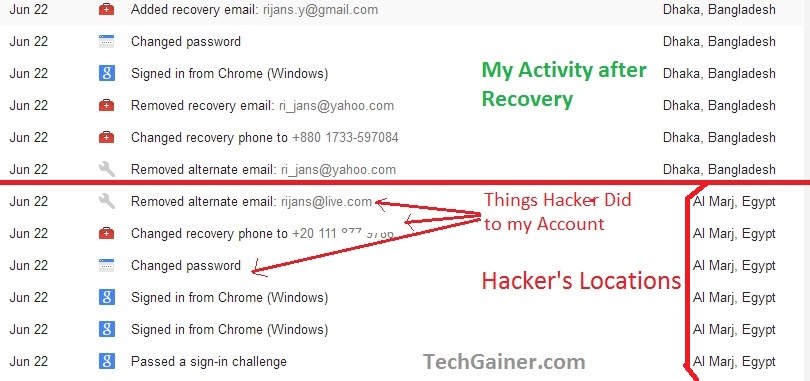
You can see the things hijacker did to my account like Changing recovery phone number, recovery email address, etc. I got more details after clicking on either of the logs:
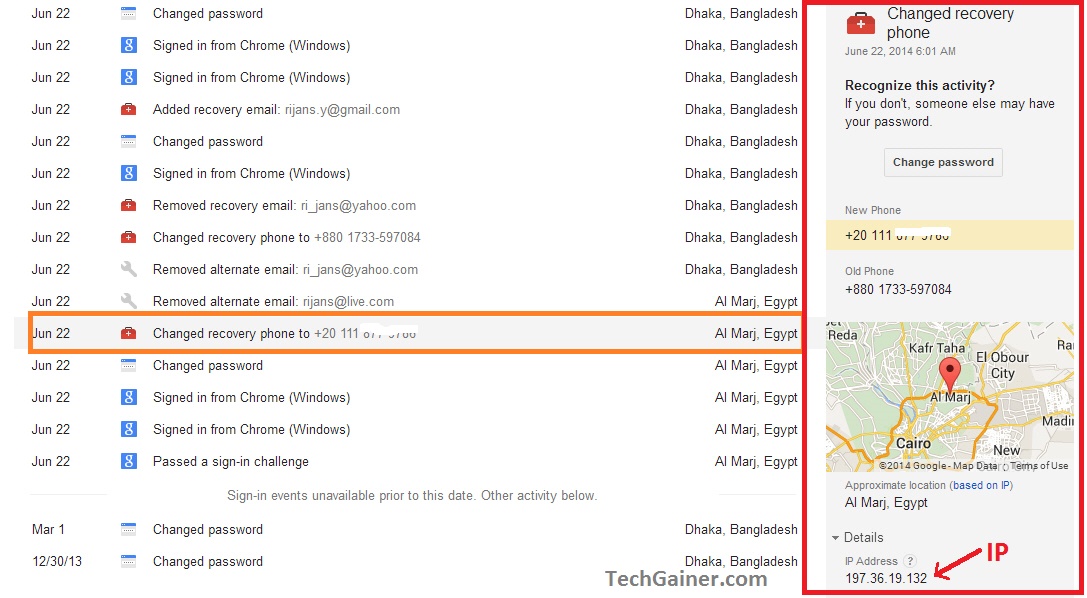
So you can see, I found more details on his location including IP.
As to mention, the hacker hacked my Yahoo and Facebook accounts too after gaining access to this account, and I eventually recovered and set 2-step verification to all those accounts. In case you wonder how he hocked in my google account, he first stole my password remotely from my Chrome Browser using a windows exploit that I downloaded to my PC from an unauthorized site, and it was disguised with another name. My anti-virus(Windows defender) couldn’t detect it! Normally I always take caution when download or use untrusted apps and this is the worst thing happened to me ever! Another thing is, I was able to find the hacker’s social ID’s too using the Phone number and E-mail addresses he added to my accounts for his further recovery! So much of a story.
View Recent Activity in Gmail
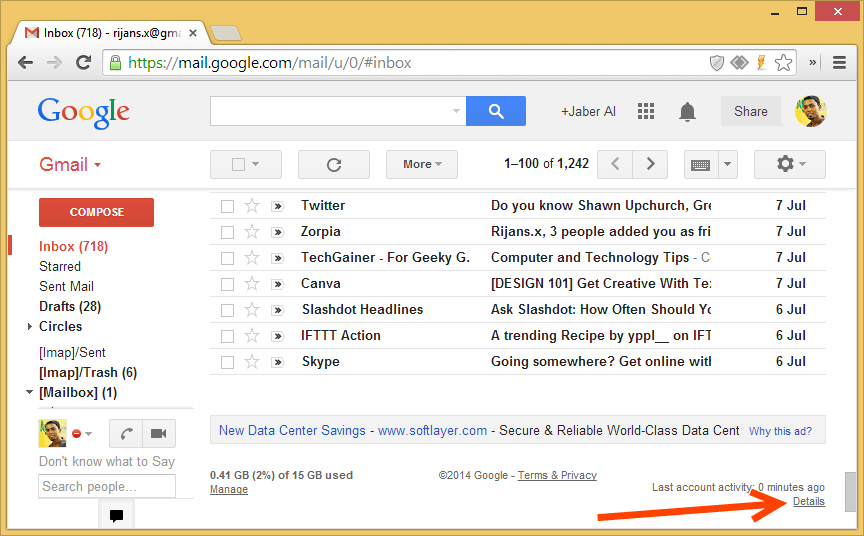
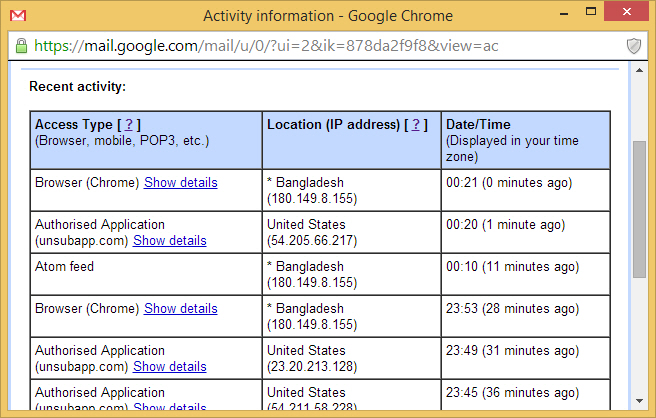
You can view your Gmail activities using ‘Last account activity’. As mentioned by Google in details, Last account activity serves you with information on last Gmail access with Web Browser, POP Client, Mobile device or any Web app. It also includes IP address, location, time and date.
To see your account activity, got to gmail.com, then reach to bottom and click on ‘Details‘ as shown below:
Then you should be presented with a windows like following:
View Activity of entire Google Account
To see activity history of your entire Google account as I used to show the hacker’s activity, proceed to security.google.com then click ‘View All Events‘ under security tab. Or directly go to security.google.com/settings/security/activity .

To understand how to use this data, you can visit Google’s page for details.

Author: Jaber Al Nahian
Jaber is a Programmer and Tech Enthusiast Geek from Dhaka, Bangladesh. He is the founder and Chief-Editor of TechGainer. While he is away from his keyboard, either he's fishing or messing with wildlife. In case, you can contact him at rijans[at]techgainer[dot]com.